Pawlo
PawloPawlo vs. “Did I Feed the Dog?” vs. “Who Fed the Dog?”: An Honest Comparison
Three apps promise to end the “did anyone feed the dog?” problem. Here's an honest look at what the simple feeding toggles do well, where they stop, and when you need more.
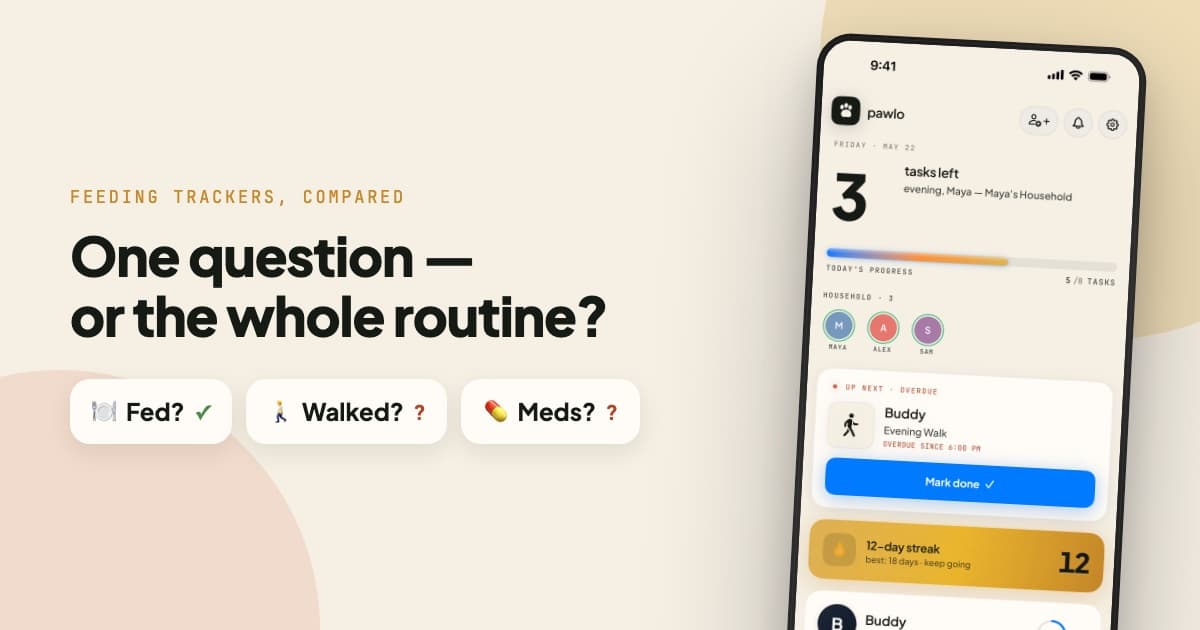
If you've ever typed “did I feed the dog” into the App Store, you found apps literally named after the question. Did I Feed the Dog? and Who Fed the Dog? both exist because one problem is nearly universal in multi-person households: nobody can remember whether the dog ate.
Pawlo gets compared to both, so here's an honest breakdown — including the cases where the simpler apps are the better pick.
Pawlo is the free family pet care app — kids check off their tasks, parents see it happen, nothing gets done twice. →
The short version
All three apps answer “did anyone feed the dog?” The difference is what happens after that question. The toggle apps treat feeding as the whole problem. Pawlo treats it as the first of many: walks, medication, litter, sitter handoffs, and the “I always do everything” argument that follows a household everywhere.
| What you need | Did I Feed the Dog? | Who Fed the Dog? | Pawlo |
|---|---|---|---|
| Feeding check-offs shared with the household | Yes — its entire purpose | Yes — its entire purpose | Yes |
| Walks, litter & custom tasks | Not listed — feeding only | Walks and water listed; litter and custom tasks not | Yes, full routine |
| Medication tracking with double-dose warnings | Not listed | Medication listed; a double-dose warning is not | Yes |
| “Done by who, at what time” history | Not listed | Listed generally (“everyone knows what has been done”) | Every task, every time |
| Household streaks & home-screen widgets | Not listed | Not listed | Yes |
| Sitter handoff (share the routine, not a sticky note) | Not listed | Yes — sitters and walkers are named in the listing | Yes |
| Minimum iOS | 26.4 | 15.1 | 17 |
| Price | Free (1 dog); $0.99 one-time Pro | Free to download | Free, nothing locked |
What the simple toggle apps get right
Credit where due: Did I Feed the Dog? is a genuinely clever piece of design. It strips the problem down to a board of morning/evening toggles that anyone in the house can flip — including the grandparent who will never learn a “real” app. There's almost nothing to set up and nothing to get wrong.
Who Fed the Dog? is broader than its name: its listing covers feeding, medication, walks and water for families, pet sitters and dog walkers, and it runs on iPhones back to iOS 15.1. What it doesn't list is a name and time on each task, a warning before a second dose, streaks, or widgets.
If your household's only shared responsibility is feeding — one pet, no medications, walks handled by whoever feels like it — a toggle app may honestly be all you need. We'd rather tell you that than oversell you.
Where the toggle stops working
The trouble is that “did you feed him?” is rarely the only question. It's just the loudest one. The same household that double-feeds the dog also:
- Forgets whose turn the evening walk is — and the dog pays for the standoff.
- Loses track of monthly flea and heartworm meds — where a missed dose is bad and a double dose can mean an emergency vet call.
- Has the “I do everything around here” fight — unwinnable when there's no record of who actually did what.
- Hands the sitter a sticky note — and spends the weekend answering texts about which bowl is whose.
A feeding toggle can't help with most of that, because it only ever knew about one task — and even the broader tracker doesn't list who did what, or a warning before a second dose. This is the gap Pawlo was built for: the whole routine, shared across the whole household, with every check-off attributed and synced in real time.
The attribution difference
The deeper difference isn't the number of task types — it's accountability. In Pawlo, every completed task reads like a receipt: Morning Feed — done by Alex at 8:12 AM. Over a week, that history quietly settles arguments that used to run on vibes — the double-feed question gets answered, but so does the fairness one.
Pawlo also actively protects against the scariest failure mode: if a task is already done, it warns the next person before they repeat it, and critical medications get an extra confirmation hold.
Pricing
Pawlo is free — no trial, no subscription, no locked features — for unlimited household members, so a couple, a family, or a whole apartment pays nothing. The toggle apps are free or cheap with lighter functionality; check their current listings for details.
The bottom line
Pick Did I Feed the Dog? or Who Fed the Dog? if feeding is truly your household's only shared task and you want the simplest possible toggle.
Pick Pawlo if your household shares more than feeding — walks, meds, multiple pets, a sitter now and then — or if “who actually does more” is a live question in your house. That's not a niche upgrade; it's the difference between answering one question and running the whole routine together.
Side-by-side pages, kept to what each listing says: Pawlo vs Did I Feed the Dog? · Pawlo vs Who Fed the Dog? · Pawlo vs Team Pet · Pawlo vs DogLog. Or the full roundup: how to sync pet care with your partner, and the 5 best apps for it.
Related pet care guides
Frequently asked questions
What's the difference between Pawlo and Did I Feed the Dog?
Did I Feed the Dog? is built around one question — whether the dog was fed this morning or evening. Pawlo covers the whole shared routine: feeding, walks, medication, litter, and custom tasks, each stamped with who did it and when, synced across the household.
Is a simple feeding toggle app enough for my household?
If feeding is genuinely your only coordination problem, a simple toggle app can be enough. If your household also shares walks, medication, or sitter handoffs — or argues about who does more — you'll outgrow a feeding-only tracker quickly.
Is Pawlo free?
Yes — completely. No trial, no subscription, no locked features, and unlimited household members.
Ready to stop wondering who fed the pet?
Pawlo is free — no subscription, nothing locked. Get your whole household in sync today.
Download on the App Store →